Calibration of cameras and monitors


Datacolor Spyder Checkr Photo

Datacolor Spyder Checkr Photo

Based on your recent experience of our online shop, how likely are you to recommend Foto Koch to friends and acquaintances?
Thank you very much for your review. We’re sorry that your experience didn’t live up to your expectations. If you’d like, please do let us know briefly how we can improve. If you’d be happy for us to contact you by email following your review, please also provide your email address.

Datacolor Spyder
Datacolor Spyder


Meaning of the delivery status
Immediately available
The item is in stock and can be shipped at short notice.
The item is also in stock in our shop in Düsseldorf.
Please note: Despite updating our website regularly, it is possible that an item may be out of stock but shown as available for a short time, especially when orders are high. All information is therefore without guarantee. We will inform you immediately if there is a delay in the expected availability/delivery time. The availability information refers to an order quantity of 1. Availability may vary for higher order quantities.
Delivery time (from-to) working days after receipt of payment
The item is not in stock in our inhouse warehouse and will be ordered from the external warehouse/manufacturer or disributor after you have placed an order. The expected delivery time is listed with the item.
Please note: Despite updating our website regularly, it is possible that an item may be out of stock but shown as available for a short time, especially when orders are high. All information is therefore without guarantee. We will inform you immediately if there is a delay in the expected availability/delivery time. The availability information refers to an order quantity of 1. Availability may vary for higher order quantities.
Item has been ordered
The item has already been ordered from the manufacturer or distributor. The delivery time is usually between 1 week and 2 months. As soon as a more precise delivery time is known, we will publish the details on our website. After placing the order, you will be informed regularly about the delivery time.
Available at a specified date
The item has already been ordered from the manufacturer or distributor. We have been informed of the expected delivery date.
We are happy to order for you
The item is currently not in stock and will be ordered for you from the manufacturer or distributor after you have placed an order. The delivery time is usually between 1 week and 2 months. After placing the order, you will be informed regularly about the delivery time.
Item has been ordered. Delivery time 1-3 months
The item is currently not available. We were not given a delivery time. Experience shows that the expected delivery time is 1-3 months.
Goods have been ordered. Long delivery time expected. Pre-order now and secure your place on the waiting list.
The manufacturer or supplier cannot confirm a date, so we assume a waiting time of 2 to 9 months. You can still order the item and secure your place on the waiting list.
Delivery alarm
You would like to be informed as soon as the item is in stock?
Notification when the product is back in stock No reservation and no place on the waiting listYou want to reserve the product?
Order now, pay later (prepayment) Notification when the product is back in stock Product reservation and fixed place on the waiting list Cancellable at any time free of charge (until delivery)Perfect color shots thanks to effective monitor calibration
Knowledge of monitor calibration is crucial for any photographer to achieve excellent and predictable photos. For example, if the monitor does not reproduce shades and colors correctly, all the time you invest in image editing and post-processing may be counterproductive because the print will look completely different in reality. This article explains the basic details of calibration for amateur and professional photographers. It also deals with how to calibrate a monitor, the role of a grey card or a color checker and the advantages of color calibration.
Why do I need to calibrate my monitor?
Do your printed photos not look the way you edited them on the monitor? Then it's time to calibrate your monitor. The basic problem with photography is that every viewer sees images slightly differently. This is because every photographer uses their own monitor. If you edit the photos on your own monitor and then print them out, there will inevitably be slight differences. Even though monitors are getting better and better over time, each monitor still has an individual display of brightness, colors and contrast. To minimize these differences, monitor calibration is used to adjust the colors, brightness and contrast so that the photos are displayed as neutrally as possible. Basically, every monitor has a certain range of colors that it can display. Higher-quality models usually have larger palettes, which makes monitor calibration correspondingly easier.
How do I calibrate the monitor?
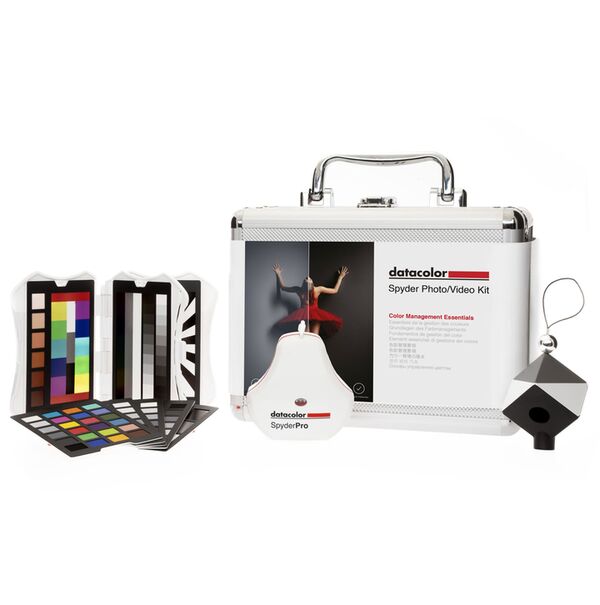
A calibration device, also known as a colorimeter, is required for this process. Basically, you first place the calibration device in front of your monitor. To optimize the results, you should switch on your monitor an hour before calibrating. It also makes sense to carry out the calibration in a similar light to that in which you normally edit your photos. Thanks to the software supplied, the device displays and measures different colors and shades of grey on the screen. The calibration device then evaluates the data and creates a type of monitor profile that is used for the color display in the following steps.
The software guides you through the entire calibration process. The process takes around 20 minutes in total and should be repeated approximately every 3 months. The reason for repeating the process is that the screen changes over time, with the intensity of the colors and the brightness decreasing. Regular monitor calibrations counteract this process.
Why use a gray card?
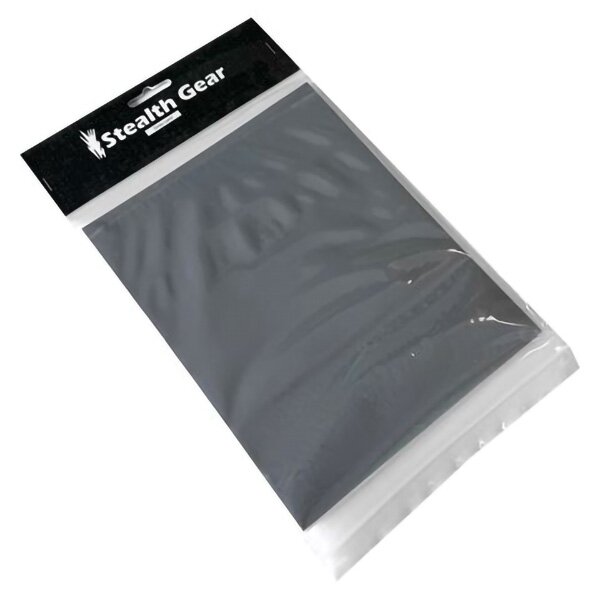
In photography, the gray card plays a role in calibrating the exposure. In most cases, the object is a kind of small plate made of plastic or sturdy cardboard, one side of which is gray and the other side white. The card can reflect around 18% of the incident light with the gray side and around 90% with the white side. In the camera, light meters are normally calibrated for subjects with an average brightness distribution. However, if a scene is not average, such as a white rabbit in the snow, then these values must be corrected using the gray card in order to obtain a correct image. By placing the gray card close to the object, you can prevent the white rabbit in the snow from being underexposed.
What does a colorchecker do?
As an alternative to the grey card, a colorchecker ensures color precision in digital photography. The colorchecker is a color plate that is placed in the same light as the subject in order to take a photo and create a color profile for the scene using software. The appropriate settings can then be made on the camera with regard to exposure and white balance to avoid color deviations when taking the photo. The advantages of color calibration therefore lie in the correct display of the subject on the camera monitor. Monitor calibration is particularly important in professional settings in order to be able to view and edit photos on the monitor without a large difference to the printed image. In product photography and videography, this has advantages in terms of time and therefore money.


